I am not dead
on April 10, 2014
Hello there !
It’s been a while since I posted something here, so I, first, would apologize for that.
Hello there !
It’s been a while since I posted something here, so I, first, would apologize for that.
There is something super simple that irritates me on Mac OS X since I switched: What about the Print Screen key !
It’s not that I absolutely want to have a physical key on the keyboard, but it is so stupidly easy to capture the screen or just an application on Windows. You just need this feature all day long, especially with an intensive chat usage.
Of course you can also do it on Mac OS X, but who the hell is mentally sane enough to remember this %&*#@!$$ keyboard shorcut!!
So I finally found a guide referencing all theses shortcuts, even the most interresting ones, those who paste directly into the clipboard (as Print Screen would have done)
If you want to generate an image file
If you are more into the clipboard
By the way, if you are more a Windows guy, I suggest you have a look at greenshot, it’s absolutely fantastic !
Lately I was playing a bit with SVG.
Patrick, a friend of mine, recently bought a Macbook Pro Retina and suddenly I had to face the truth:
Pictograms and images suck on Retina enabled devices !
So I took the opportunity to try SVG. I thought it would be great to try to reproduce the left sidebar icons for the Lobby and the type of rooms.
I have just pushed this morning a new feature: Dynamic status for everyone.
Pretty simple, for now you can’t drive this status, it’s only automatic. You’ll go from available to idle after 2 minutes of inactivity, and finaly switch to away after 10 min.
Next step associated to this feature is to introduce a busy status, that would for example deactivate all notifications, and also add the ability for you to manually select the away status.
That’s it for today.
Here is a short status for week 18 bugs and new features.
It has been a long run development, not so complex, but in the pipe since the beginning. It’s now live, all your conversations are secured and encrypted all along the wire.
I still have few bugs regarding mixed content, mainly because some images (actually a lot of animated gifs, from buukkit have not been pasted in chat using https urls.
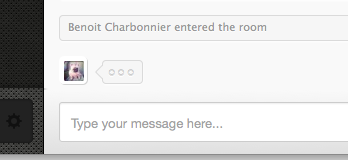
You now have the ability to see who is typing live.
One of the most annoying bug that was here since the first version, has always been the autoscroll feature. As soon as a new message arrives, it automatically scrolls down the chat logs. Even if you manually scroll up yourself to read the history.
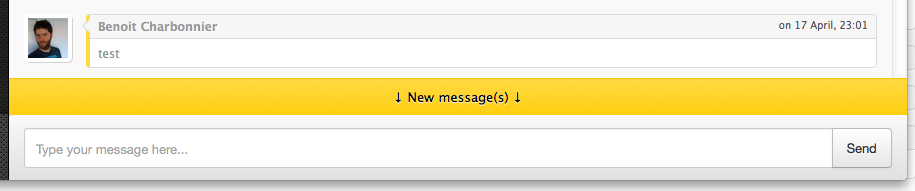
It’s now fixed. If you scroll up to read the history, the autoscroll will now be disabled, and you will get a notification as soon as new messages are coming.
I changed the way messages are regrouped by days. It is now easier to see these separators.